> ## Documentation Index
> Fetch the complete documentation index at: https://unity.farlocus.com/llms.txt
> Use this file to discover all available pages before exploring further.
# Page Notes
> Quick orientation for each page
## Session
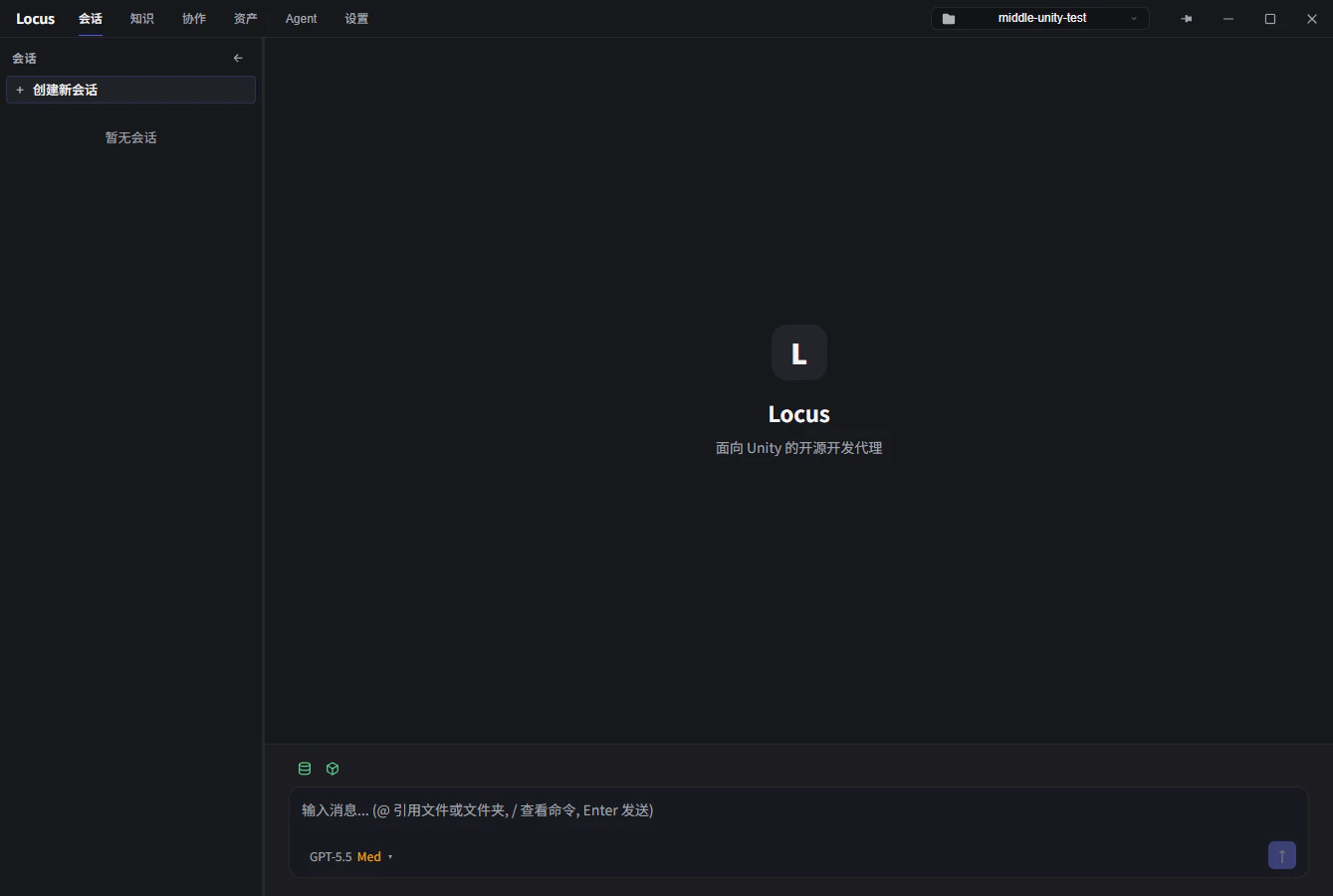 Before sending a message, check that the `Asset Database` and `Unity Editor Connection` indicators in the upper-left corner of the input box are both green.
* **Multimodal input**: drop or paste images into the input box with `CTRL+V`.
* **New session**: click `+` in the top-left, or hit `CTRL+N` (remappable in Settings).
* **Auto-approval mode** (bottom-right): when on, the Agent runs tools without asking. When off, every modification needs your approval—safer, but slower.
* **Model switcher** (bottom-right): change the model used by the current session.
* **Send**: `ENTER` by default; switch to `CTRL+ENTER` in Settings.
* **Session list**: click `>` to expand a Subagent's run. Right-click for archive/delete; hold `SHIFT` for multi-select.
## Collaboration
Before sending a message, check that the `Asset Database` and `Unity Editor Connection` indicators in the upper-left corner of the input box are both green.
* **Multimodal input**: drop or paste images into the input box with `CTRL+V`.
* **New session**: click `+` in the top-left, or hit `CTRL+N` (remappable in Settings).
* **Auto-approval mode** (bottom-right): when on, the Agent runs tools without asking. When off, every modification needs your approval—safer, but slower.
* **Model switcher** (bottom-right): change the model used by the current session.
* **Send**: `ENTER` by default; switch to `CTRL+ENTER` in Settings.
* **Session list**: click `>` to expand a Subagent's run. Right-click for archive/delete; hold `SHIFT` for multi-select.
## Collaboration
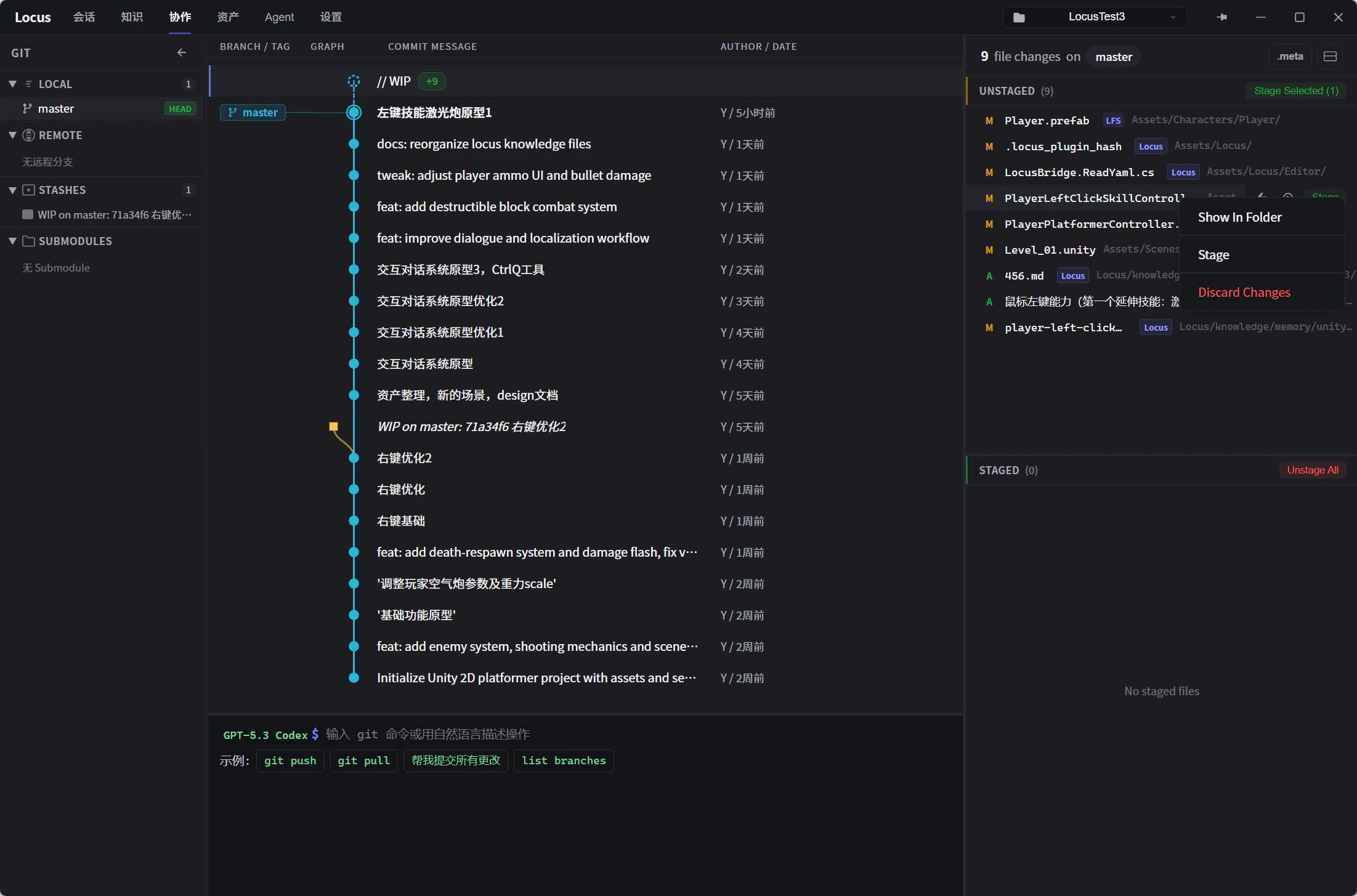 * **Terminal at the bottom**: type standard Git commands, or hand instructions to the AI in plain English.
* **Change list display modes**: the three buttons in the upper-right corner of the change list switch its display mode.
* **Right-click menu**: available on commits and modified files; the action set is still growing—feedback welcome.
* **Change preview**: click any file in the Commit, Stash, or Unstaged/Staged lists to see the diff. Unity YAML assets (Scene, Prefab, ScriptableObject) get a structured visual diff.
* **Conflict resolution**: field-level semantic merge when conflicts hit Unity YAML.
* **Locus-tagged files**: knowledge and config files owned by the Agent. By default, memory and understanding other than `user_preference` are shared at the project level. Add their paths to `.gitignore` if they should stay out of version control.
## Knowledge
* **Terminal at the bottom**: type standard Git commands, or hand instructions to the AI in plain English.
* **Change list display modes**: the three buttons in the upper-right corner of the change list switch its display mode.
* **Right-click menu**: available on commits and modified files; the action set is still growing—feedback welcome.
* **Change preview**: click any file in the Commit, Stash, or Unstaged/Staged lists to see the diff. Unity YAML assets (Scene, Prefab, ScriptableObject) get a structured visual diff.
* **Conflict resolution**: field-level semantic merge when conflicts hit Unity YAML.
* **Locus-tagged files**: knowledge and config files owned by the Agent. By default, memory and understanding other than `user_preference` are shared at the project level. Add their paths to `.gitignore` if they should stay out of version control.
## Knowledge
 ### Knowledge Categories
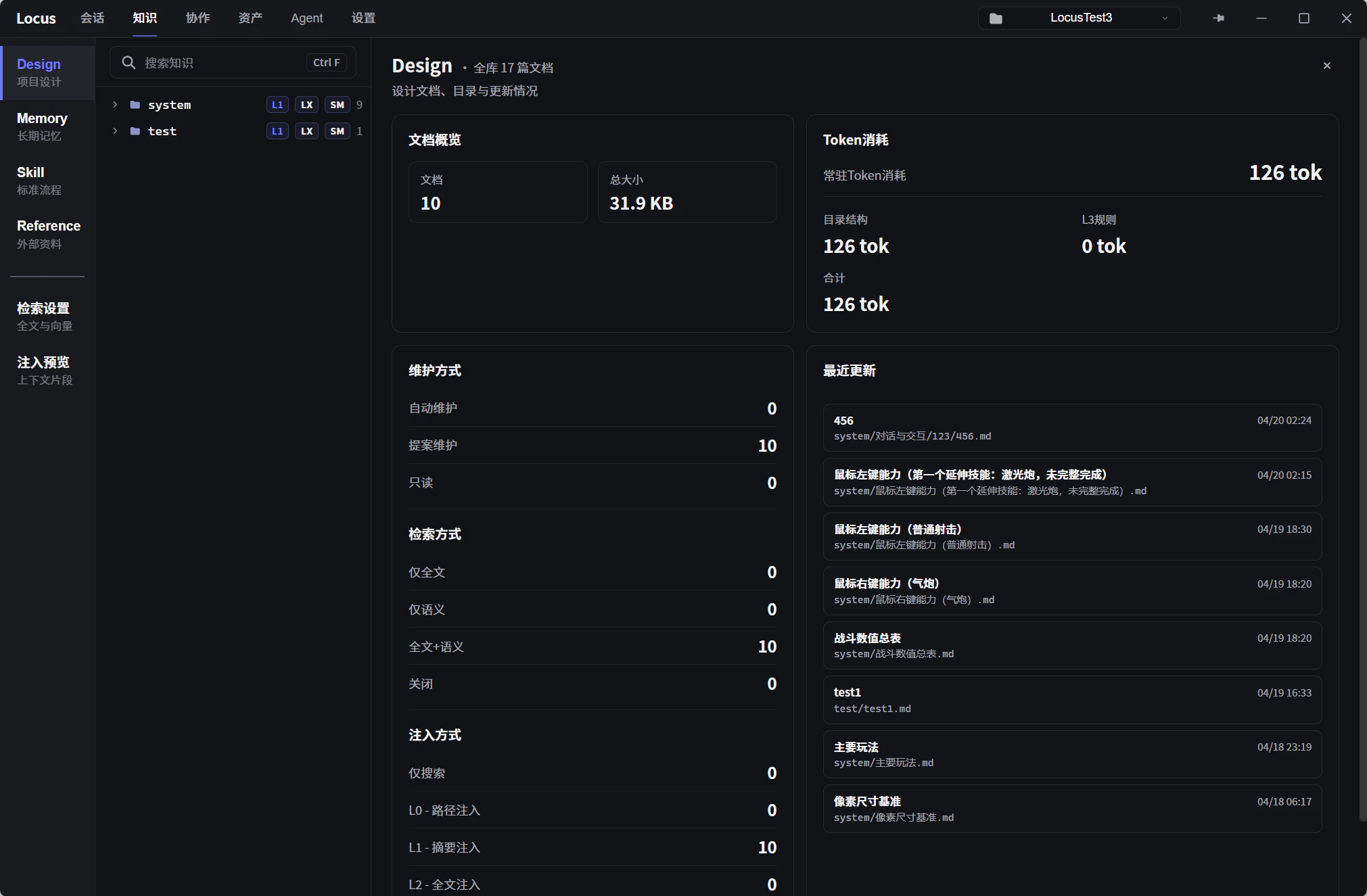
The knowledge base is where the Agent picks up project context. Knowledge is split into four categories:
* **Design**: project requirements and ground truth. The AI proposes updates during a conversation (subject to your approval); you can also edit it manually any time.
* **Memory**: dynamic context maintained by the AI. Three modules ship by default—user preferences, mistake notebook, and project understanding. You can add your own and define how the AI updates them.
* **Skill**: codifies repeatable workflows. Describe a process in natural language, and the Agent will follow it next time the same situation comes up.
* **Reference**: read-only external docs. Today: local files like the Unity API Reference, plus connectors for platforms like Feishu Docs.
### Retrieval Strategy
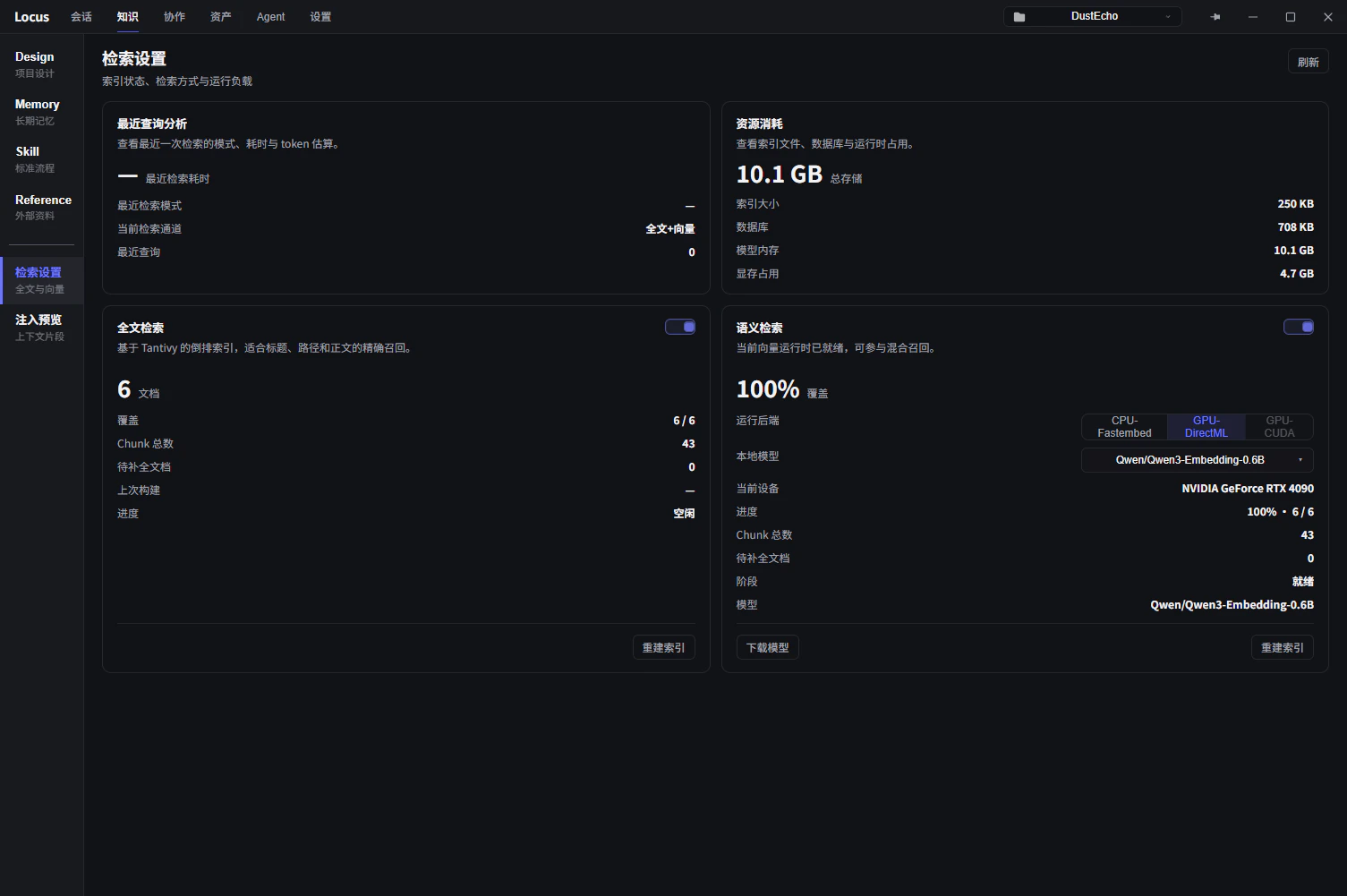
Two retrieval modes are available:
* **Lexical indexing** (off by default): keyword-based exact text matching.
* **Semantic indexing** (enable in retrieval settings): vector-based fuzzy matching against the AI's queries—useful when wording doesn't line up exactly.
### Knowledge Categories
The knowledge base is where the Agent picks up project context. Knowledge is split into four categories:
* **Design**: project requirements and ground truth. The AI proposes updates during a conversation (subject to your approval); you can also edit it manually any time.
* **Memory**: dynamic context maintained by the AI. Three modules ship by default—user preferences, mistake notebook, and project understanding. You can add your own and define how the AI updates them.
* **Skill**: codifies repeatable workflows. Describe a process in natural language, and the Agent will follow it next time the same situation comes up.
* **Reference**: read-only external docs. Today: local files like the Unity API Reference, plus connectors for platforms like Feishu Docs.
### Retrieval Strategy
Two retrieval modes are available:
* **Lexical indexing** (off by default): keyword-based exact text matching.
* **Semantic indexing** (enable in retrieval settings): vector-based fuzzy matching against the AI's queries—useful when wording doesn't line up exactly.
 ## Settings
The Settings page holds global configuration.
### Model Configuration
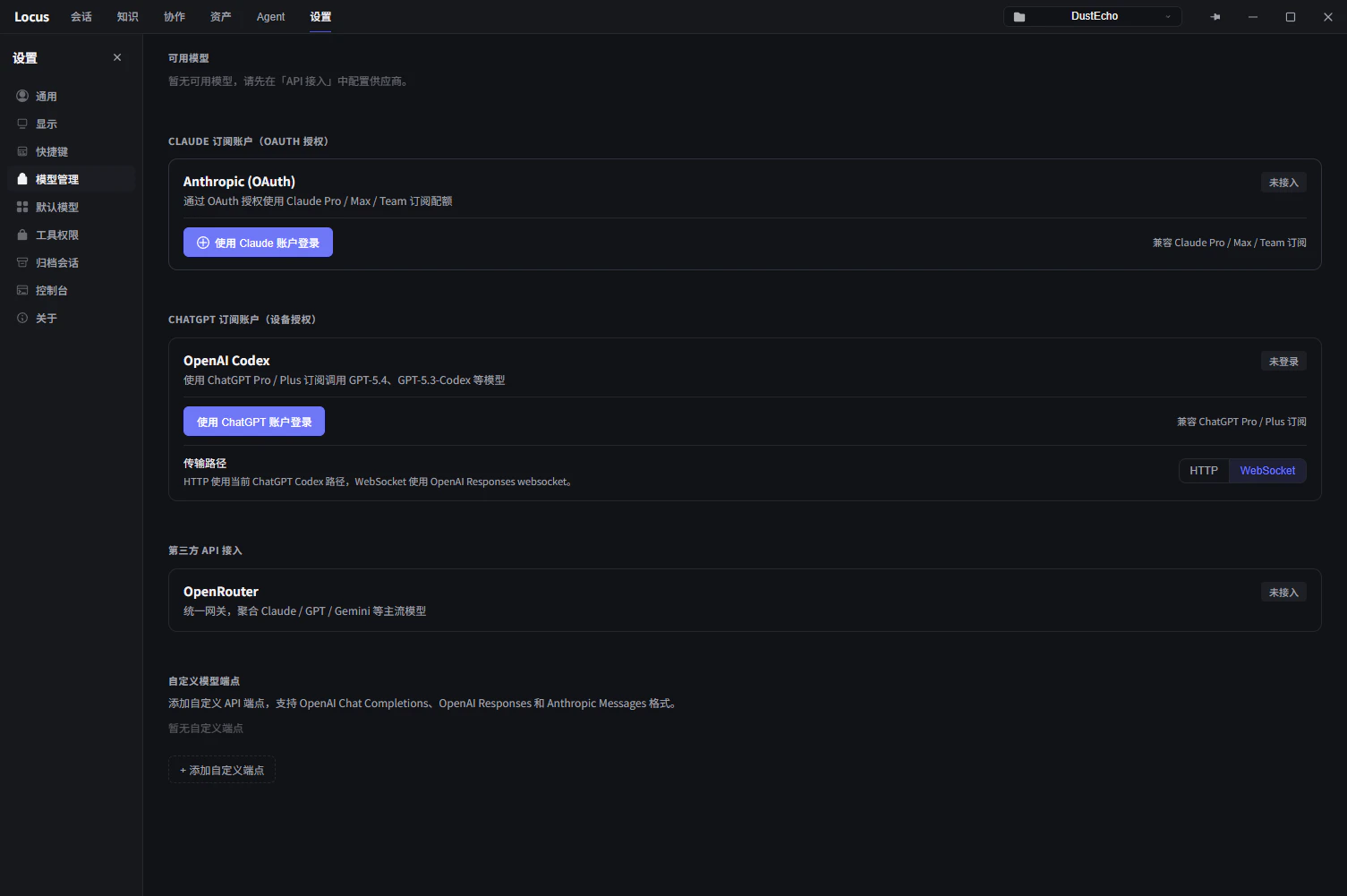
Customize model parameters, configure third-party API endpoints, and manage subscription account sign-in and authorization.
## Settings
The Settings page holds global configuration.
### Model Configuration
Customize model parameters, configure third-party API endpoints, and manage subscription account sign-in and authorization.