> ## Documentation Index
> Fetch the complete documentation index at: https://unity.farlocus.com/llms.txt
> Use this file to discover all available pages before exploring further.

# Locus for Unity

> 规模化地提升游戏开发的效率，将创作者从繁琐的事务性工作中解放出来

## 概览

`Locus for Unity`是一个面向Unity项目的**开源**AI Agent。

* **编辑器内操作**：编写C#代码、读入并修改Unity对象与资产，完成完整功能开发流程
* **运行时分析与调试**：自主操作并捕获运行时状态，协助你修复BUG、优化性能
* **自动化知识系统**：自动将对话需求总结成设计文档，并将项目理解保存在长期记忆中
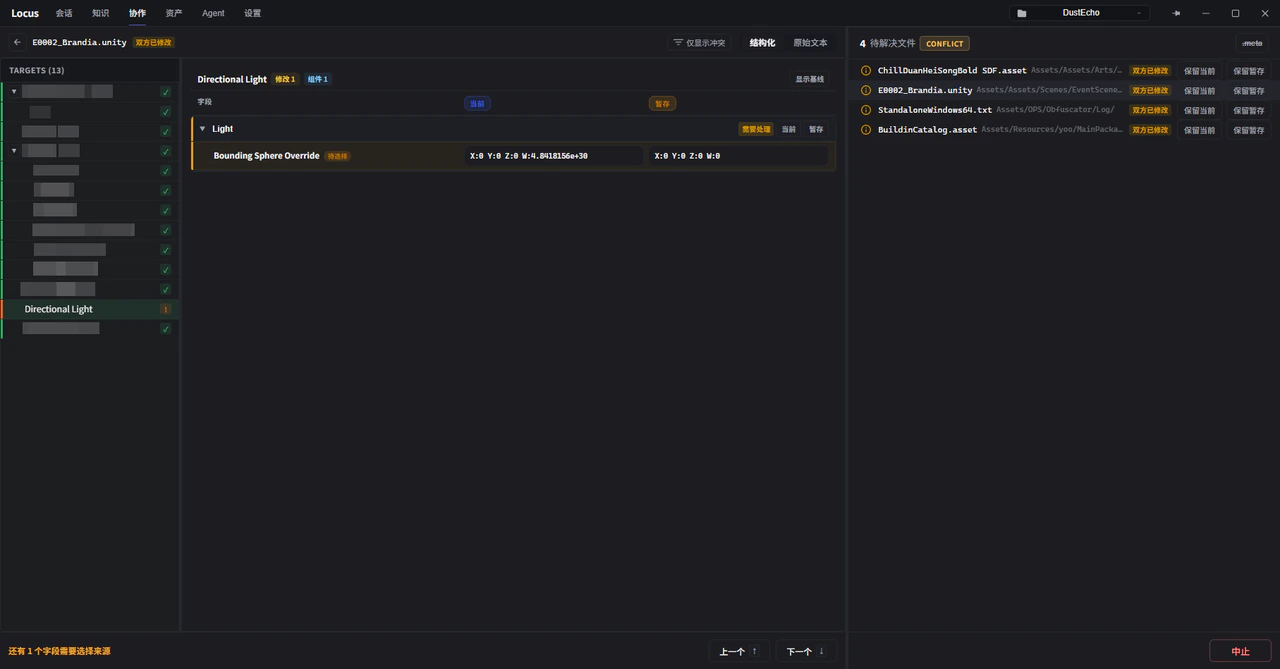
* **可视化版本管理**：提供可视化的版本管理界面，支持Unity YAML资产的语义化差异分析与冲突处理
* **多种模型支持**：支持订阅帐号登录，并兼容多种LLM API能力

<br />

<div className="home-entry-grid">
  <a className="home-entry-card home-section-card" href="overview/install-and-setup">
    <span className="home-entry-icon" aria-hidden="true">
      <svg viewBox="0 0 24 24" fill="none" stroke="currentColor" strokeWidth="1.8" strokeLinecap="round" strokeLinejoin="round">
        <path d="M12 3v11" />

        <path d="m7.5 10.5 4.5 4.5 4.5-4.5" />

        <path d="M5 19h14" />
      </svg>
    </span>

    <span className="home-entry-title">快速开始</span>
    <span className="home-entry-description">快速安装Locus，在几分钟内完整配置</span>
  </a>

  <a className="home-entry-card home-section-card" href="overview/roadmap">
    <span className="home-entry-icon" aria-hidden="true">
      <svg viewBox="0 0 24 24" fill="none" stroke="currentColor" strokeWidth="1.8" strokeLinecap="round" strokeLinejoin="round">
        <path d="M5 18V6" />

        <path d="M5 7h8l2 3h4v8h-8l-2-3H5" />
      </svg>
    </span>

    <span className="home-entry-title">路线图</span>
    <span className="home-entry-description">查看我们正在实施以及计划中的功能</span>
  </a>

  <a className="home-entry-card home-section-card" href="overview/advantages-over-generic-agents">
    <span className="home-entry-icon" aria-hidden="true">
      <svg viewBox="0 0 24 24" fill="none" stroke="currentColor" strokeWidth="1.8" strokeLinecap="round" strokeLinejoin="round">
        <path d="M4 7h6" />

        <path d="M14 7h6" />

        <path d="M4 17h6" />

        <path d="M14 17h6" />

        <path d="m10 5 4 4-4 4" />

        <path d="m14 15-4 4" />
      </svg>
    </span>

    <span className="home-entry-title">从技术上讲，Locus有什么独特之处？</span>
    <span className="home-entry-description">了解Locus独立进程架构带来的技术能力</span>
  </a>
</div>

## 示例展示

<div className="showcase-grid">
  <div className="showcase-card">
    <span className="showcase-thumb">
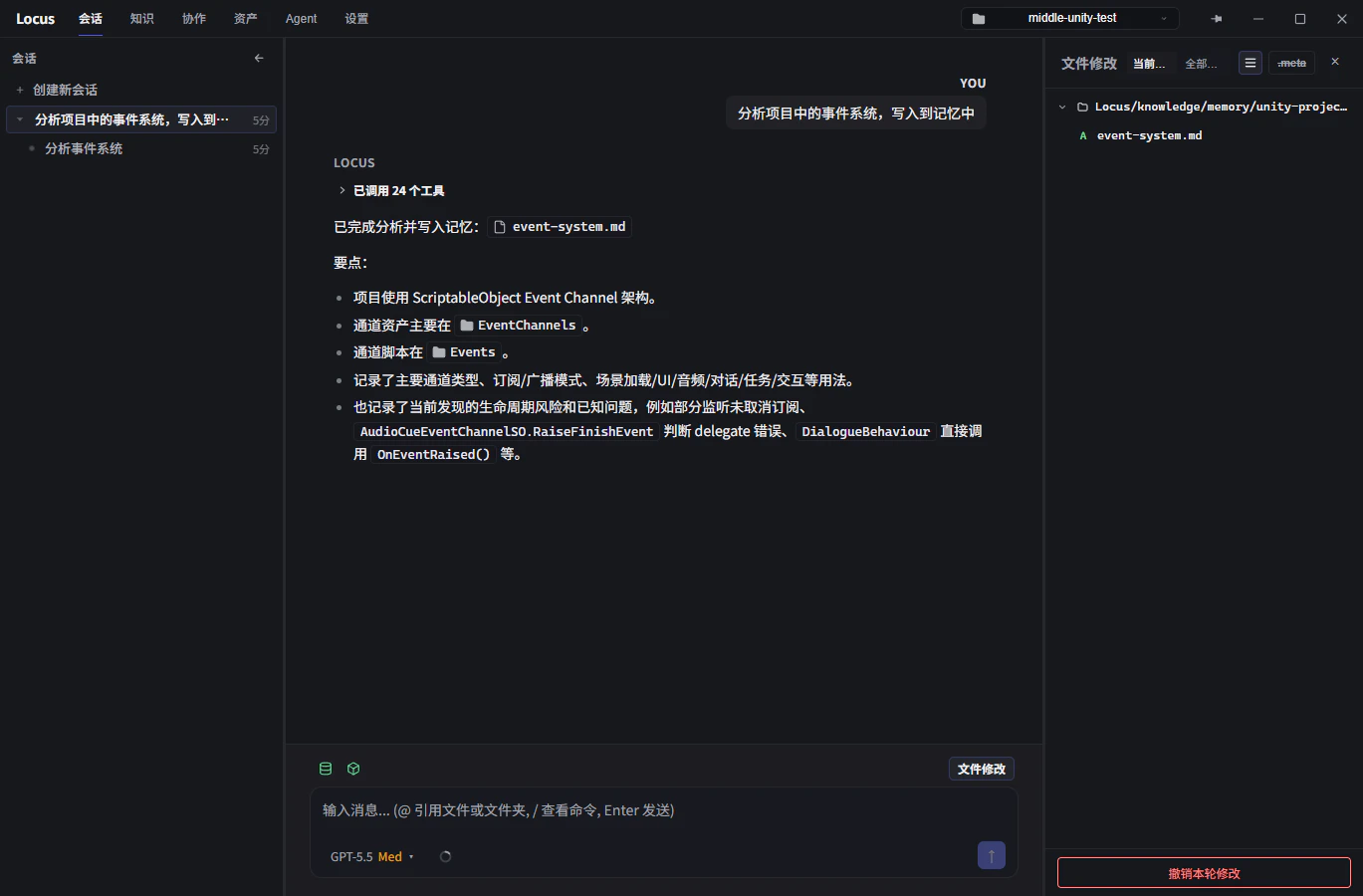
      <img src="https://mintcdn.com/farlocus/ZlI-W8lx6_9x2i0K/images/showcases/file-change.png?fit=max&auto=format&n=ZlI-W8lx6_9x2i0K&q=85&s=e8194a67899a98043788539c2c405a51" alt="文件变更" width="1369" height="900" data-path="images/showcases/file-change.png" />
    </span>

    <p className="showcase-card-description">在会话界面中审阅文件修改</p>
  </div>

  <div className="showcase-card">
    <span className="showcase-thumb">
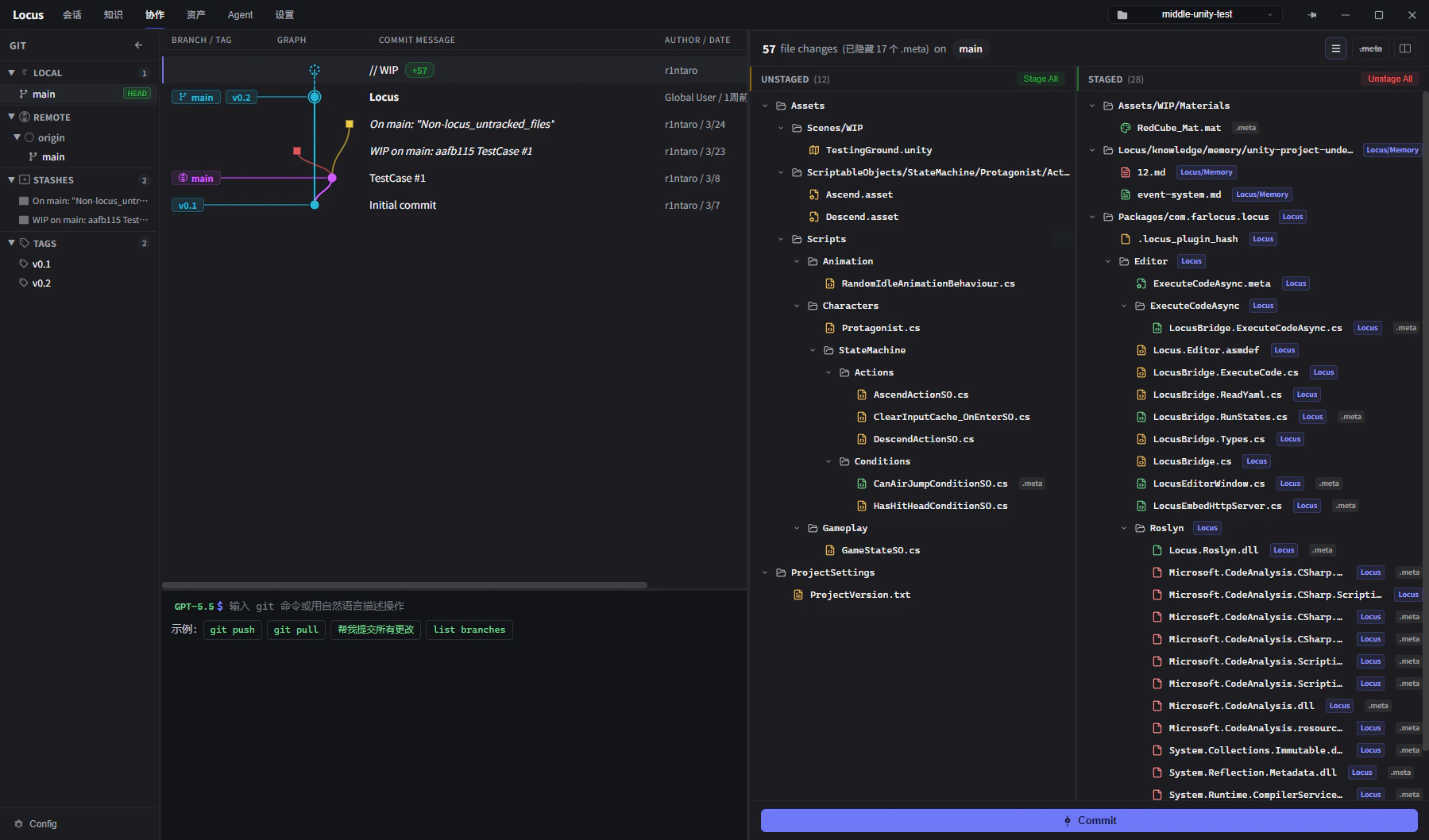
      <img src="https://mintcdn.com/farlocus/ZlI-W8lx6_9x2i0K/images/showcases/git-graph.png?fit=max&auto=format&n=ZlI-W8lx6_9x2i0K&q=85&s=71cbfb1cc094b2adccd47b663fabe10a" alt="Git 图谱" width="1799" height="1058" data-path="images/showcases/git-graph.png" />
    </span>

    <p className="showcase-card-description">通过图形化界面进行版本管理</p>
  </div>

  <div className="showcase-card">
    <span className="showcase-thumb">
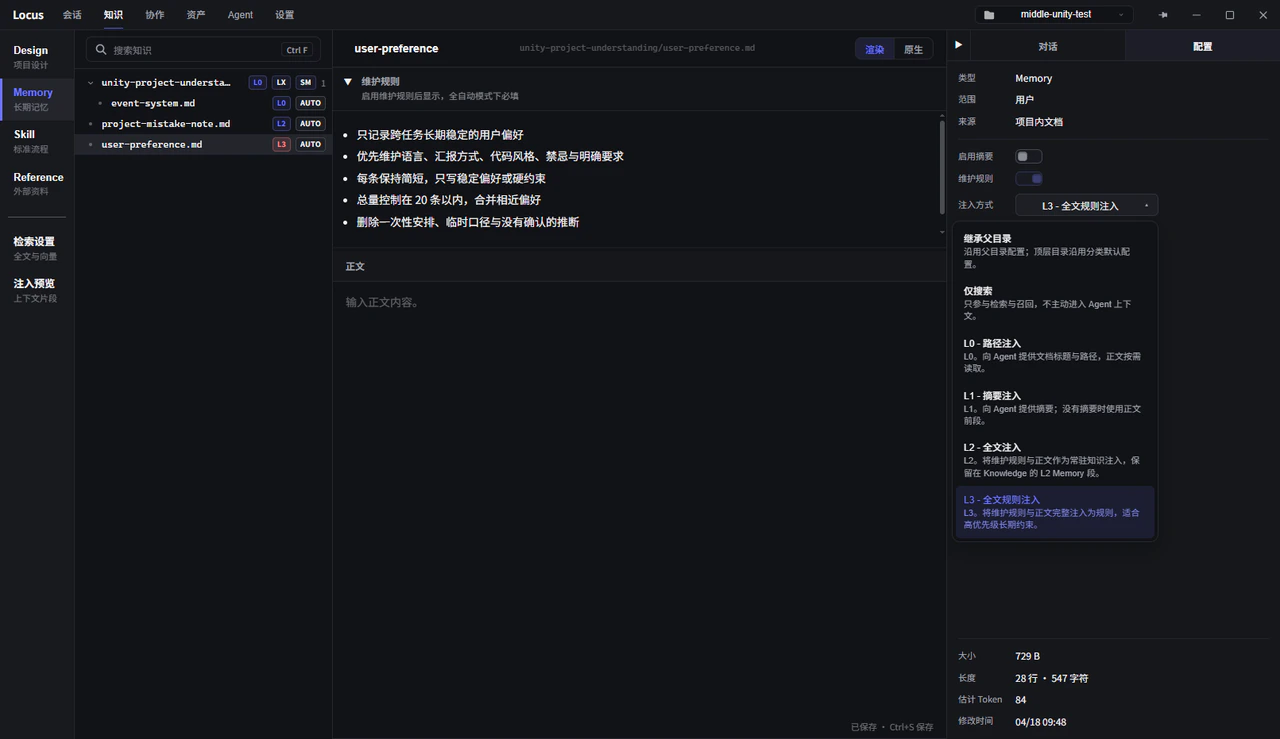
      <img src="https://mintcdn.com/farlocus/OfAb3Fo_I43YNcC0/images/showcases/knowledge.png?fit=max&auto=format&n=OfAb3Fo_I43YNcC0&q=85&s=231d1c19bf1727ec2fa2cac2448e5034" alt="知识工作区" width="1280" height="739" data-path="images/showcases/knowledge.png" />
    </span>

    <p className="showcase-card-description">编辑知识文档，配置上下文注入方式</p>
  </div>

  <div className="showcase-card">
    <span className="showcase-thumb">
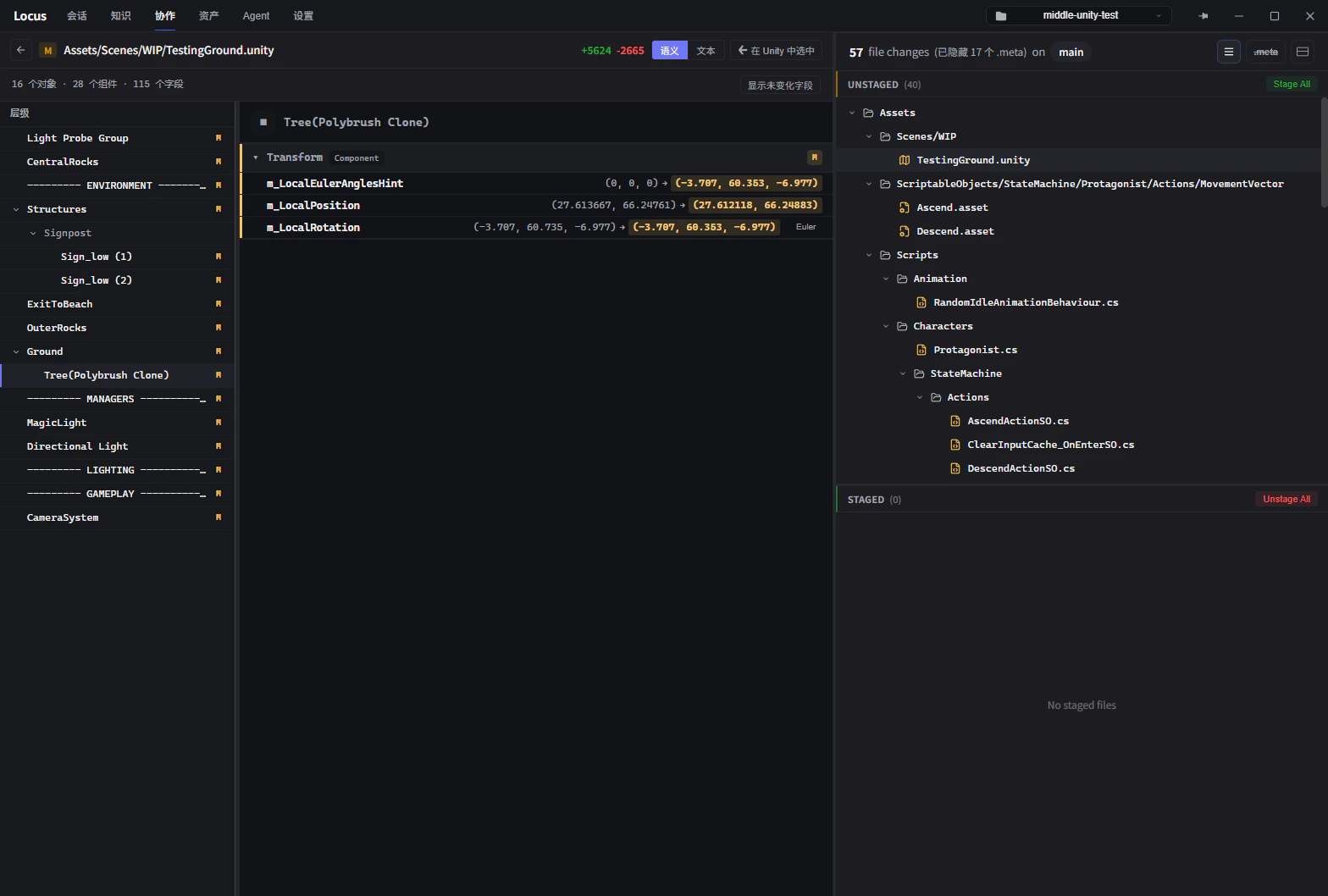
      <img src="https://mintcdn.com/farlocus/ZlI-W8lx6_9x2i0K/images/showcases/diff.png?fit=max&auto=format&n=ZlI-W8lx6_9x2i0K&q=85&s=6252cfa10439fe1e4f2a287c61920f7d" alt="差异对比" width="1568" height="1058" data-path="images/showcases/diff.png" />
    </span>

    <p className="showcase-card-description">语义化地分析YAML文件的修改</p>
  </div>

  <div className="showcase-card">
    <span className="showcase-thumb">
      <img src="https://mintcdn.com/farlocus/OfAb3Fo_I43YNcC0/images/showcases/merge.png?fit=max&auto=format&n=OfAb3Fo_I43YNcC0&q=85&s=48848cf11d33d99561d64d7e98195853" alt="合并处理" width="1280" height="669" data-path="images/showcases/merge.png" />
    </span>

    <p className="showcase-card-description">语义化地处理合并时冲突</p>
  </div>

  <div className="showcase-card">
    <span className="showcase-thumb">
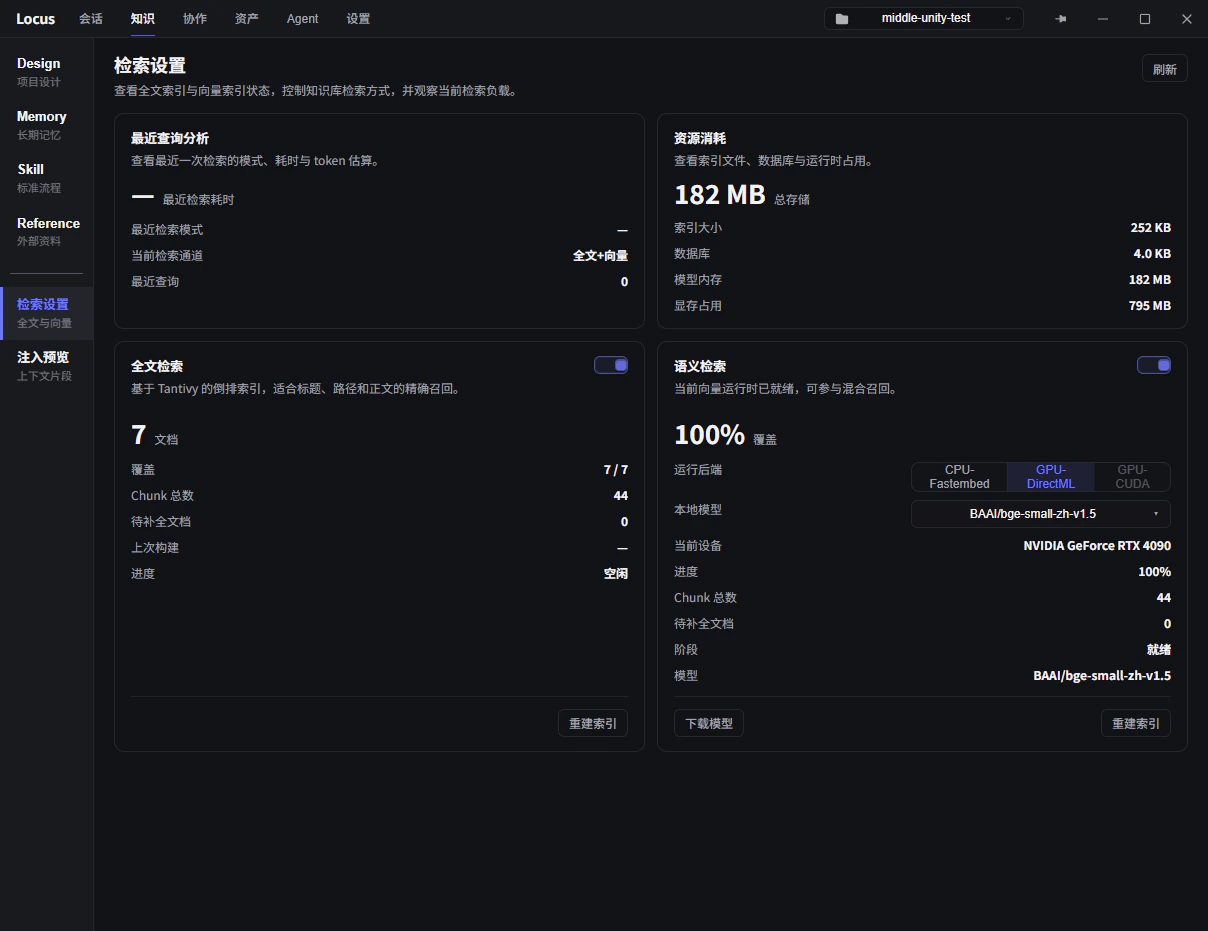
      <img src="https://mintcdn.com/farlocus/OfAb3Fo_I43YNcC0/images/showcases/search.png?fit=max&auto=format&n=OfAb3Fo_I43YNcC0&q=85&s=d5f6b445982da75ae402e670f44a489d" alt="检索设置" width="1208" height="931" data-path="images/showcases/search.png" />
    </span>

    <p className="showcase-card-description">词法与语法检索配置</p>
  </div>
</div>