

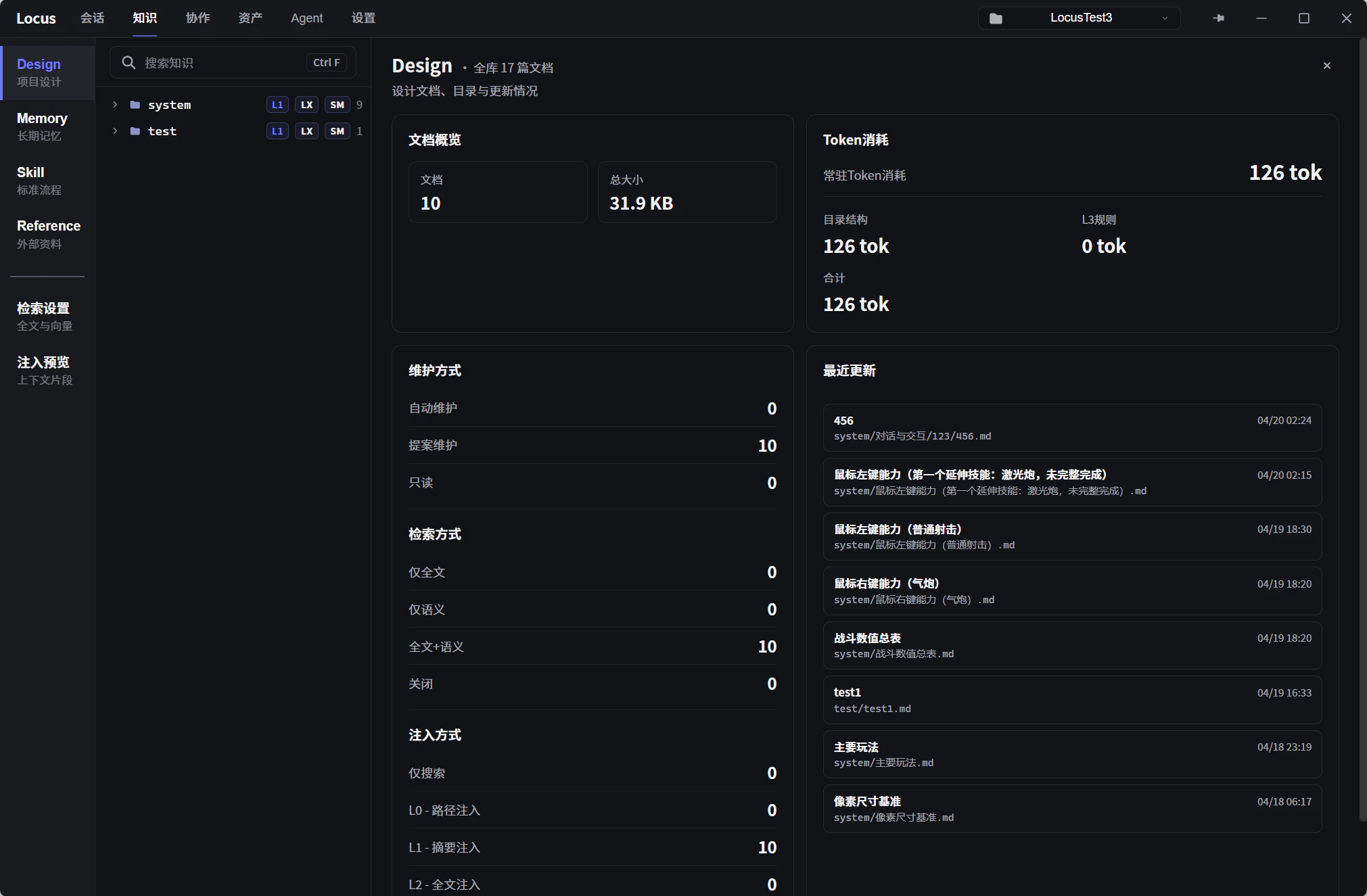
The five types
- Design (project docs): records design requirements and the factual baseline, so the Agent knows what you want. The AI can propose updates summarized from your sessions (approval required), and later tasks treat the content as the requirements basis.
- Plan (execution plans): stores task plans, milestones, dependencies, and progress so the Agent can keep track of the next steps across sessions.
- Memory (long-term): experiential notes the AI maintains automatically, so sessions stop starting from zero. Three preset modules by default:
Project Understanding,Mistake Notebook, andUser Preferences. - Skill (workflow): high-frequency workflows written down as documents, so the same kind of task needs no fresh briefing every time. Triggered with a / command or recalled automatically.
- Reference (external): a read-only library for material from outside the project, for when the Agent needs sources the project itself does not contain. Imports local folders, the official Unity documentation, and Feishu docs.
Tree and badges
The tree on the left organizes documents by type; right-click to create, rename, move, or delete. Badges on each entry mark document state, andBadge Legend at the top of the tree lists them all:
AUTO: the document is maintained automatically by the AI.LX/SM: full-text or semantic retrieval is enabled for this directory. See Retrieval and indexing.EXT: content imported from an external source (local folder, Feishu, Unity docs, and so on), read-only./cmd: a Skill document that can be triggered in chat with a / command.- Plugin badge: content provided by a plugin; it cannot be renamed, moved, or deleted. See Plugins and views.
- Skill package badge: content provided by a Skill package, read-only.
Overview stats
Selecting a knowledge type shows that type’s overview cards on the right:Search Index: both retrieval channels, full-text and semantic, in one card. The full-text side shows coverage and theFresh/Stale/Pendingstates; the semantic side shows coverage and index health. Use it to confirm the Agent can actually retrieve these documents.Knowledge Freshness: the share of indexed documents that are fresh, need a refresh, or have unknown status. Documents needing a refresh return to fresh after the next indexing pass.Context Load: estimates always-on context pressure (about 1 token per CJK character, 4 characters per token otherwise), split into Knowledge Overview, Memory, Auto Skill, and Retrieval Corpus. Use it to judge the token cost the knowledge system adds to every request.