

Lexical / Semantic / Hybrid).
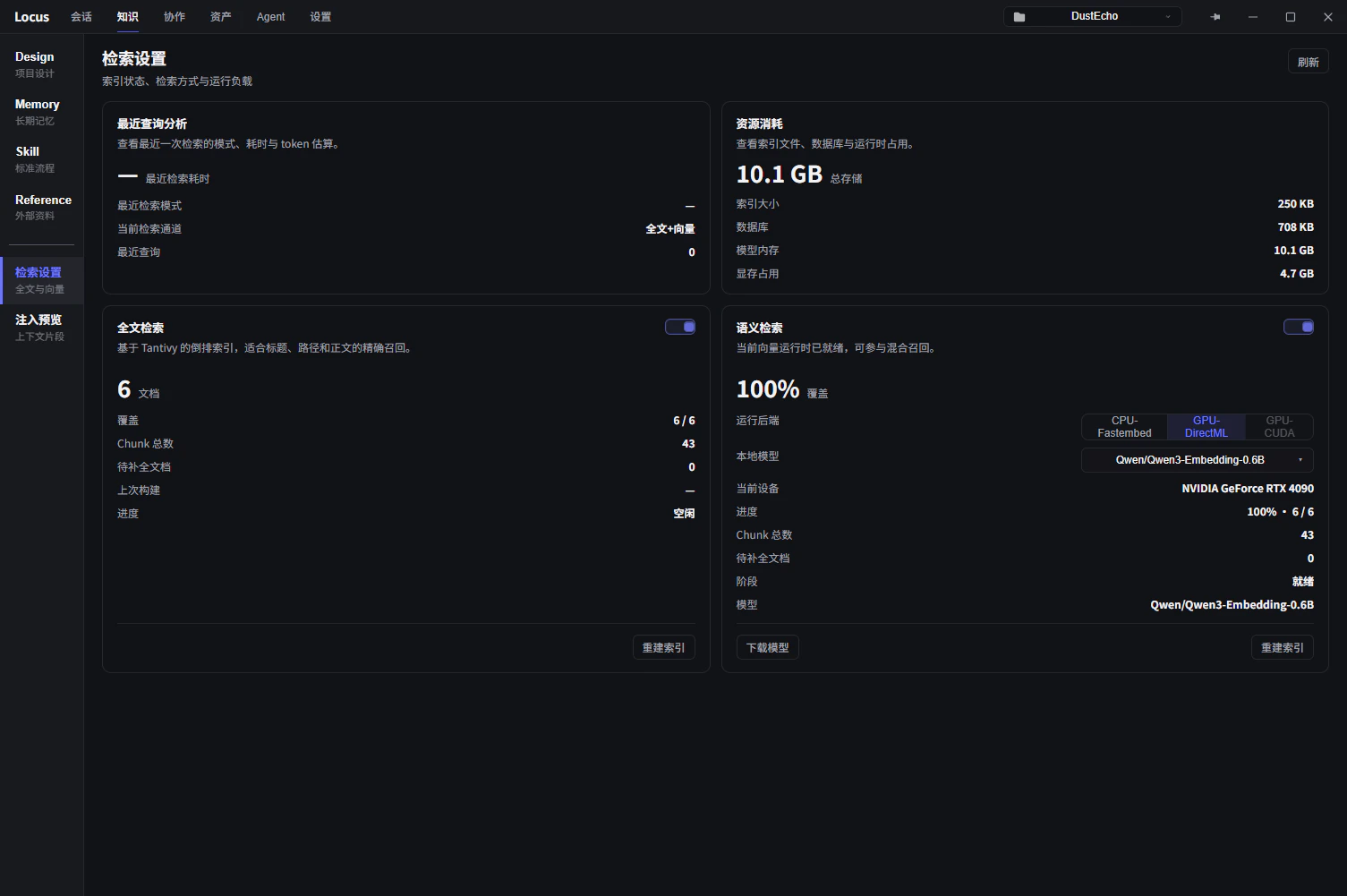
Full-text retrieval
TheLexical Search switch in the Retrieval Settings panel at the top controls whether an inverted index is maintained; it is off by default. While off, the search bar scans documents one by one, which is enough for a small knowledge base. Once documents pile up, turn it on: search gets faster and the Agent’s lexical recall gets more complete.
Semantic retrieval
Semantic retrieval is off by default and needs an embedding model configured first. Two ways to set one up:- Local runtime: in
Retrieval Settings, pick a preset model (sorted small to large by parameter count, with GPU memory and RAM estimates) andDownload Model, choosingOfficialorHF-Mirroras the download source; when the download finishes, clickActivate Vectorto start the local runtime. You can also enter a Hugging Face repository ID that contains the ONNX and tokenizer files directly, or point to a local model directory. - Remote endpoint: in
Embedding Settingson the Settings page, switch toRemotemode and fill in an OpenAI-compatible/v1/embeddingsendpoint address, theAPI Key, and the model name; onceTest Connectionpasses, it is ready to use.
Folder-level switches
Not every folder deserves a place in the index.Retrieval Rules in Folder Config controls a folder’s participation in Lexical Retrieval and Vector Retrieval, with the values Inherit / Enable / Disable: by default a folder follows the nearest parent’s rule, and stays enabled when no parent sets one. The LX / SM badges in the tree mean the corresponding retrieval mode is enabled for that directory. Folders that are big but thin on value (raw material imported wholesale, for example) can turn semantic retrieval off and save the indexing cost.
Index status and refresh
- The
Search Indexcard on the knowledge overview shows both channels’ coverage and theFresh/Stale/Pendingstates. Indexes follow document edits automatically;Staleis a normal transitional state. - If a state stays abnormal, rebuild everything with
Rebuild Indexin the dashboard; rebuild progress shows in a separate window. - The semantic runtime’s model, current device, and GPU memory use are shown in the
Retrieval Settingspanel, andDisable Vectorreleases the resources at any time.